
AI-focused workspace
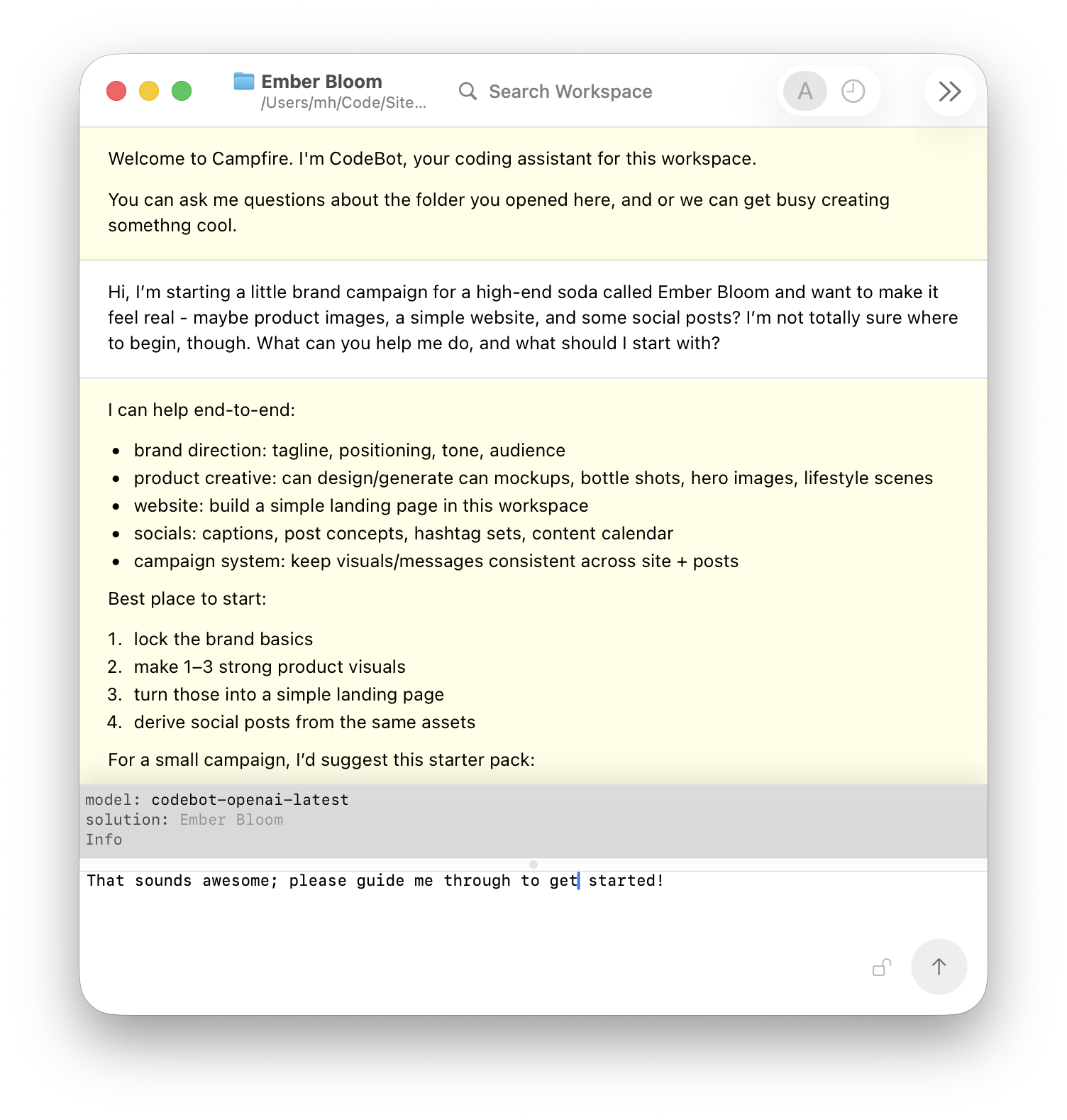
Campfire is a folder workspace built around the conversation.
Open a folder, keep your files close in the sidebar, and work through the task with AI at the center. The chat is the main surface because the work starts with what you want to do, not with hunting through panels.
- Chat in the center: talk through goals, changes, ideas, and next steps in one running thread.
- Files within reach: browse the workspace from the sidebar while CodeBot gathers the context it needs.
- AI drives the work: ask for plans, edits, media, research, and follow-up actions from the same surface.
Powered by CodeBot
Powerful agentic AI at your fingertips.
Campfire is powered by CodeBot, RemObjects' agentic AI engine for turning a workspace into something you can actively work with.
Ask it to write or adjust code in almost any language, design and refine a website, generate media, draft documentation, research options, or break a complex task into clear next steps.
- Agentic by design: CodeBot can inspect context, choose tools, work through steps, and report back.
- Good at software: use it for code, reviews, debugging, tests, release notes, and project cleanup.
- Beyond coding: bring the same work loop to websites, images, video concepts, copy, docs, campaigns or even just file management.
From discussion to done
Turn an idea into artifacts you can actually use.
A Campfire session can start as a messy thought and end with files, images, copy, notes, or a plan ready for the next round. It keeps the conversation, context, and outputs together so the work does not evaporate after one answer.
- Clarify the goal: shape rough requirements into a concrete path before work begins.
- Create in context: produce code, assets, copy, or structured notes with the workspace in view.
- Keep momentum: leave behind useful next steps instead of a dead-end answer.
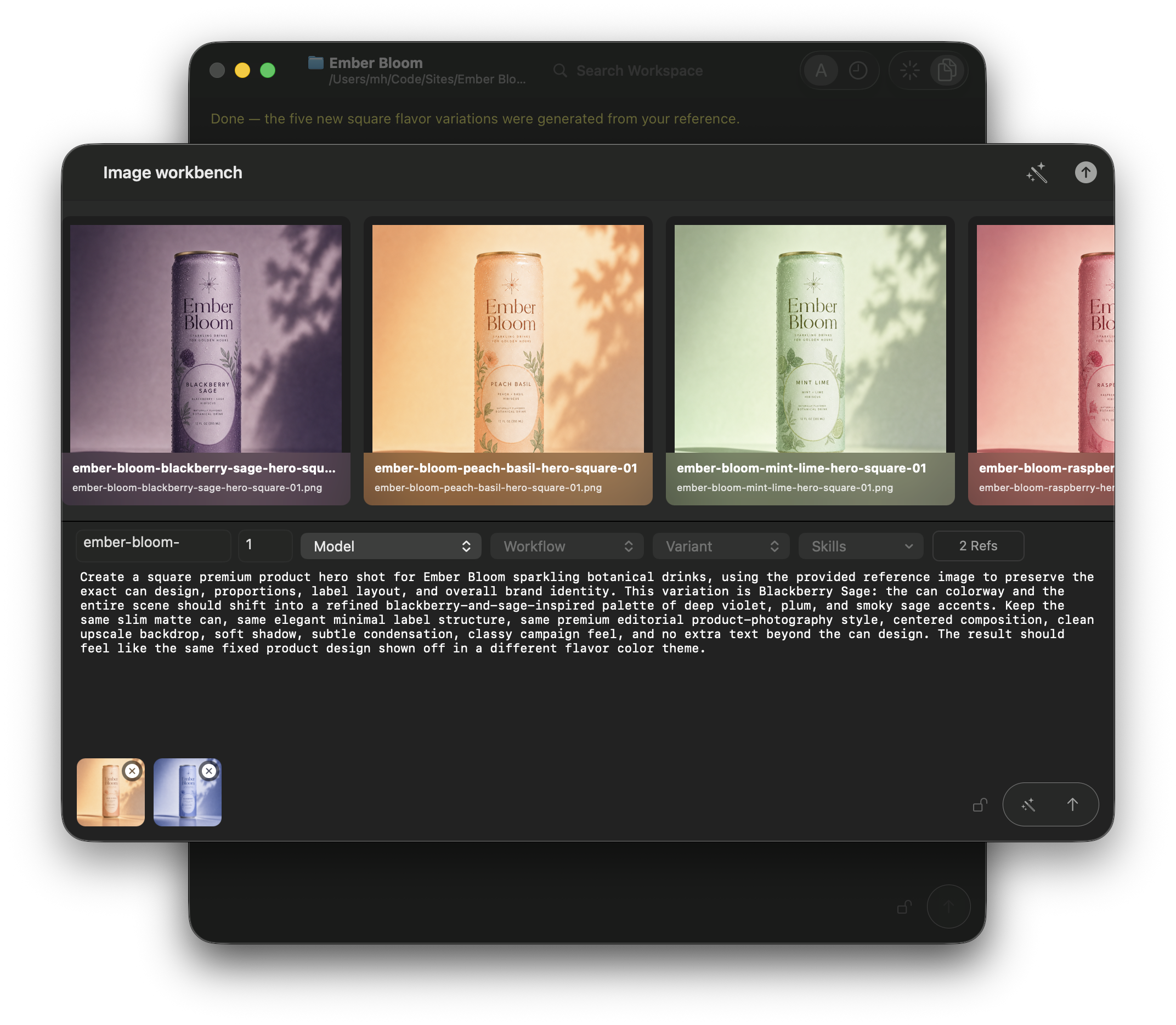
Image workbench
Shape image ideas in a dedicated creative space.
The image workbench gives visual generation its own focused surface, with prompts, references, generated results, and follow-up edits kept close together.
- Prompt and preview: move from description to generated options without losing the thread.
- Reference-driven work: keep source imagery, result choices, and refinements in one place.
- Ready for iteration: make image work feel like part of the workspace, not a separate tool chain.
- Prompt assistant: let Campfire turn your simple explanation into a detailed prompt that guarantees good and consistent results.
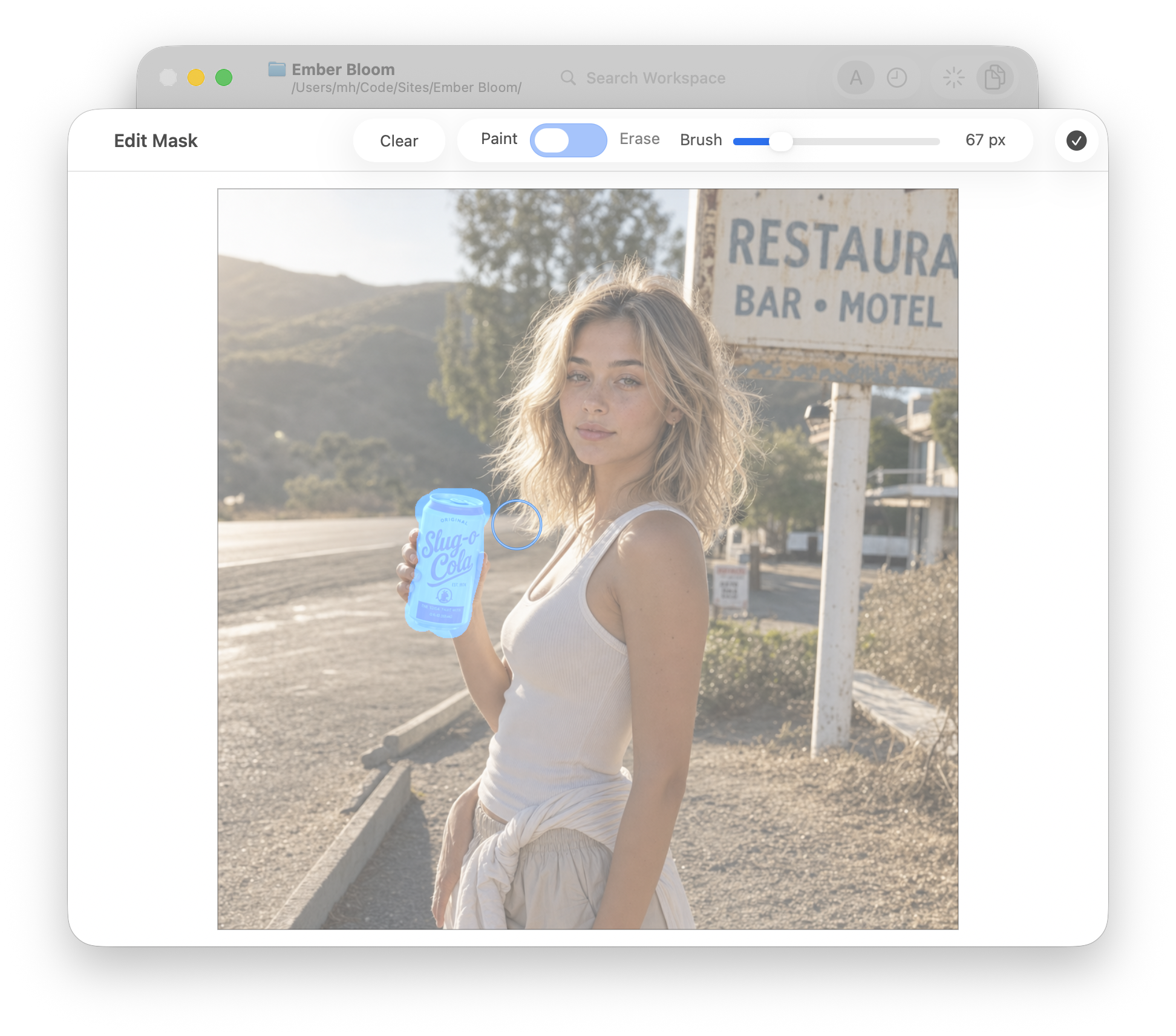
Mask creation
Paint the change, keep the rest.
Mask creation lets you mark exactly which part of an image should be regenerated. In-painting then uses that mask as a boundary: the selected area can be changed, repaired, or extended while the surrounding image remains anchored.
- Precise edits: brush over the object, background area, or detail that needs a new pass.
- In-painting control: ask CodeBot to fill the masked region with new content that matches the existing image.
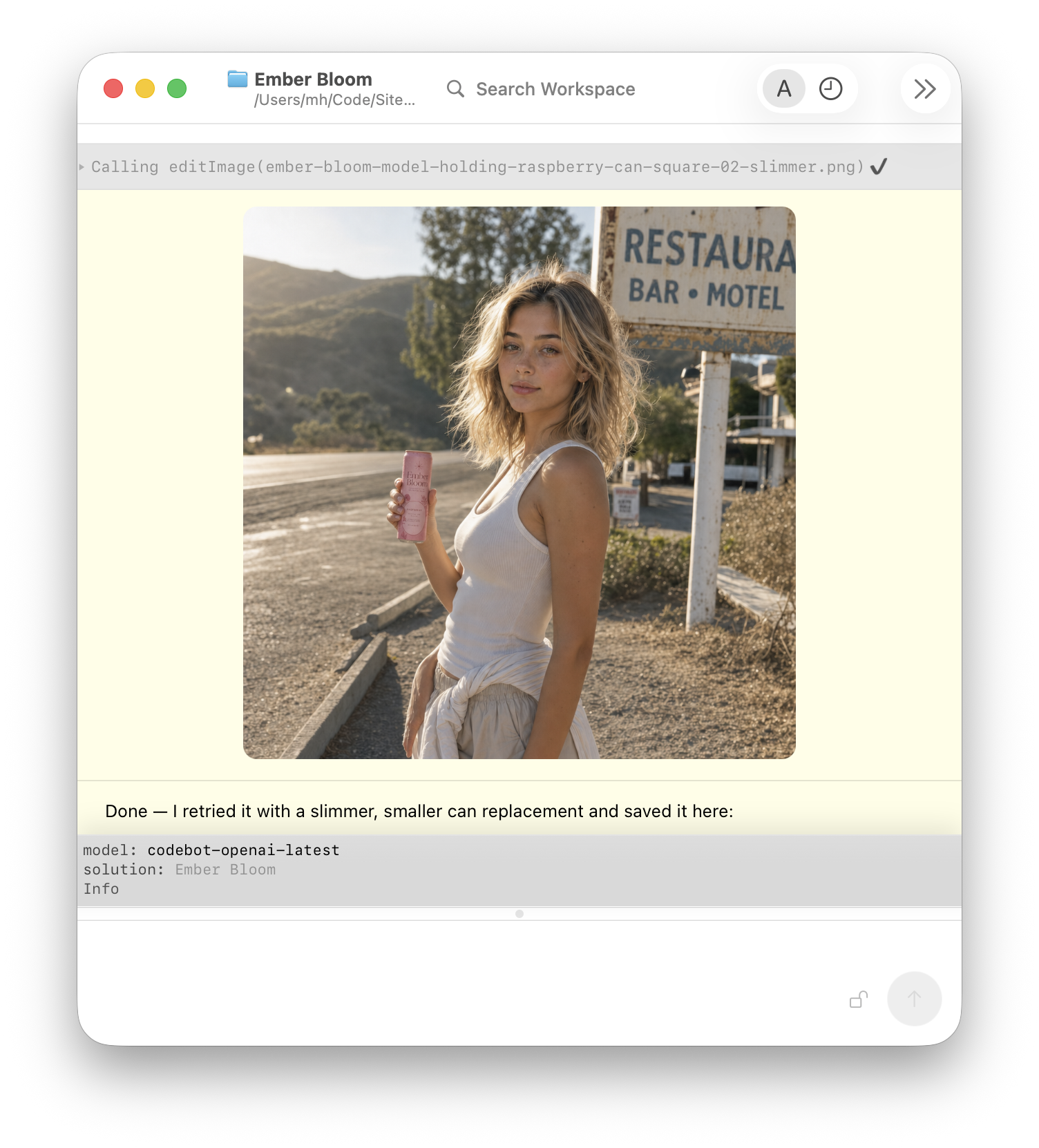
Regenerate only the part you marked.
Once a mask is ready, in-painting uses the original image as context and replaces only the painted region. That makes it ideal for product touch-ups, background cleanup, object swaps, and subtle corrections where the rest of the composition already works.
- Context-aware fills: preserve lighting, perspective, and surrounding detail while changing the selected area.
- Compare outcomes: keep generated variants nearby so the strongest result is easy to choose.
- Iterate locally: refine the prompt or repaint the mask instead of starting from scratch.
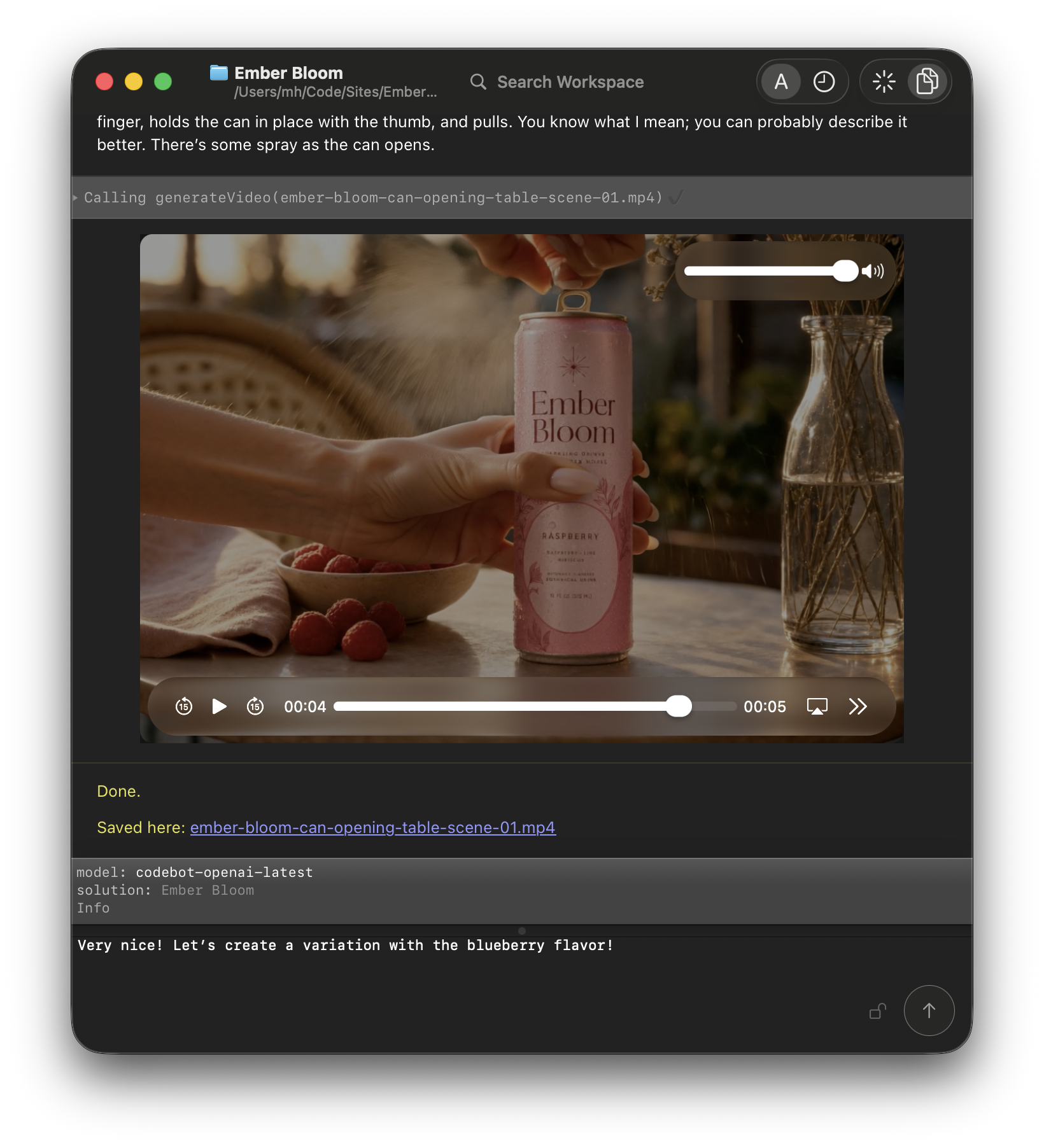
Video generation
Bring still ideas into motion.
With built-in video generation, Campfire can help turn concepts, prompts, and generated images into short video explorations. Ideal for product shots, campaign clips, social posts, background loops, and visual storyboards. All without leaving the workspace.
- Prompt to motion: describe the clip you want, then refine timing, camera movement, mood, and subject behavior.
- Image to video: start from a generated or reference image and ask CodeBot to animate it into a usable shot.
- Campaign-ready iteration: keep prompts, references, variants, and next edits together with the rest of the project.
Campfire can connect to Gemini Veo, Grok Imagine and Kling for video generation. More on that, below.
Text to Speech. Speech to Text.
Give Your Project a Voice.
Turn your ad copy into beautifully narrated voice to overlay on your video. Or convert that voice memo into an action list.
- Let Campfire speak for you: You've written the words. CodeBot can turn them into a softly spoken narration for your ad, or a confident voice-over for your presentation.
- Make it usable: turn spoken words into a transcript, a summary, an action list, or the next prompt for CodeBot.
Music Creation
Find your Unique Sound.
Music belongs in the same creative loop as the visuals, words, and motion around it. Explore a direction, turn an idea into a track, and keep the versions that make the project feel right.
- Start with a feeling: describe a mood, a scene, or a reference point and shape it into a musical direction.
- Build with the project: keep track ideas, prompts, versions, and feedback beside the campaign or product they belong to.
- Find the right take: compare variations, refine the energy, and carry the chosen sound into the next edit.
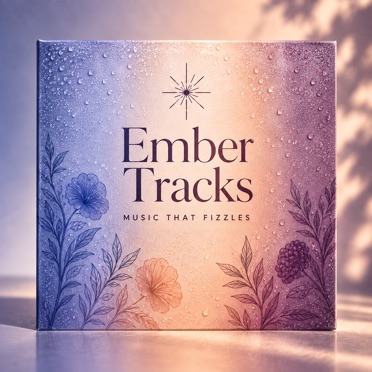
Now playing:
Sparkly Tune
Ember Tracks
Provider choice
The right models for the right job.
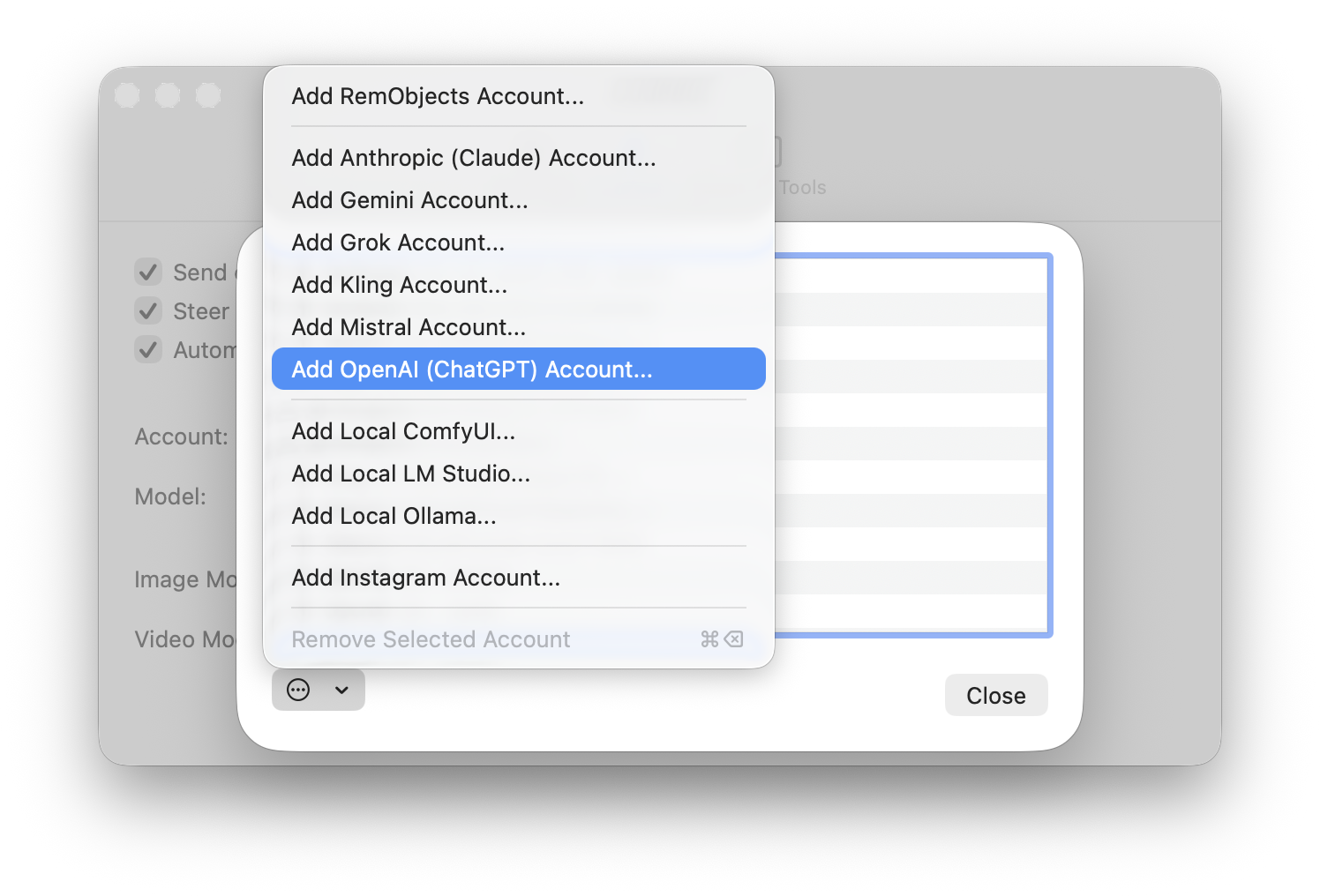
Campfire is not tied to a specific AI. Connect to the provider of your choice, or even switch models or providers between projects or tasks, depending on your needs. We add support for new providers over time.
- Text and agent work: use OpenAI, Claude, Gemini, Mistral or Grok for everyday Campfire sessions.
- Media-capable models: use OpenAI, Gemini, Grok, ElevenLabs or Kling to create images, videos, voice, and music.
Local models
Bring your own, for local control.
For advanced users, Campfire can also work with local AI setups. Use local chat models for private experimentation, or connect deeper and more complex image pipelines when you want more control or privacy, or need to handle tasks not provided by the major providers.
- Ollama or LM Studio: run local models right on your own machine or local network, and use them directly from Campfire.
- ComfyUI: plug into advanced image, video and music workflows, custom models and nodes, LoRAs, and local generation pipelines.
Scheduling and proactive mode
I'll get back to you on that.
Some work is not for right now. Schedule a prompt for later, ask CodeBot to check in at a specific time, or at recurring intervals.
You can also ask CodeBot to proactively reach out to you when needed – for example when you forgot that that new social media campaign was due.
- Scheduled tasks: tell CodeBot to draft, review, research, or prepare something at a future time – once, or repeatedly.
- Proactive nudges, if enabled, allow CodeBot to decide on its own whether it needs something from you, or should start a task. Unscheduled.
More ways to work
Use Campfire anywhere a project needs momentum.
Campfire is not just a code chat window. It is a place to coordinate the messy middle of project work: planning, writing, making, checking, and remembering what should happen next.
- Research and briefs: collect findings, compare options, and turn notes into clear direction.
- Docs and releases: draft changelogs, guides, announcements, and release checklists from workspace context.
- Campaign and product work: coordinate copy, assets, schedules, and follow-up tasks in one AI-centered workspace.
Campfire beta
Your early-access pass is waiting.
Campfire is ready for early explorers. Join the beta to put the workspace through its paces, help shape what comes next, and get closer to the tools while they are still taking form.
Sign up for the beta
Customers
Some early adopters of Campfire include: