
A Git Client That Stays Close to Your Work
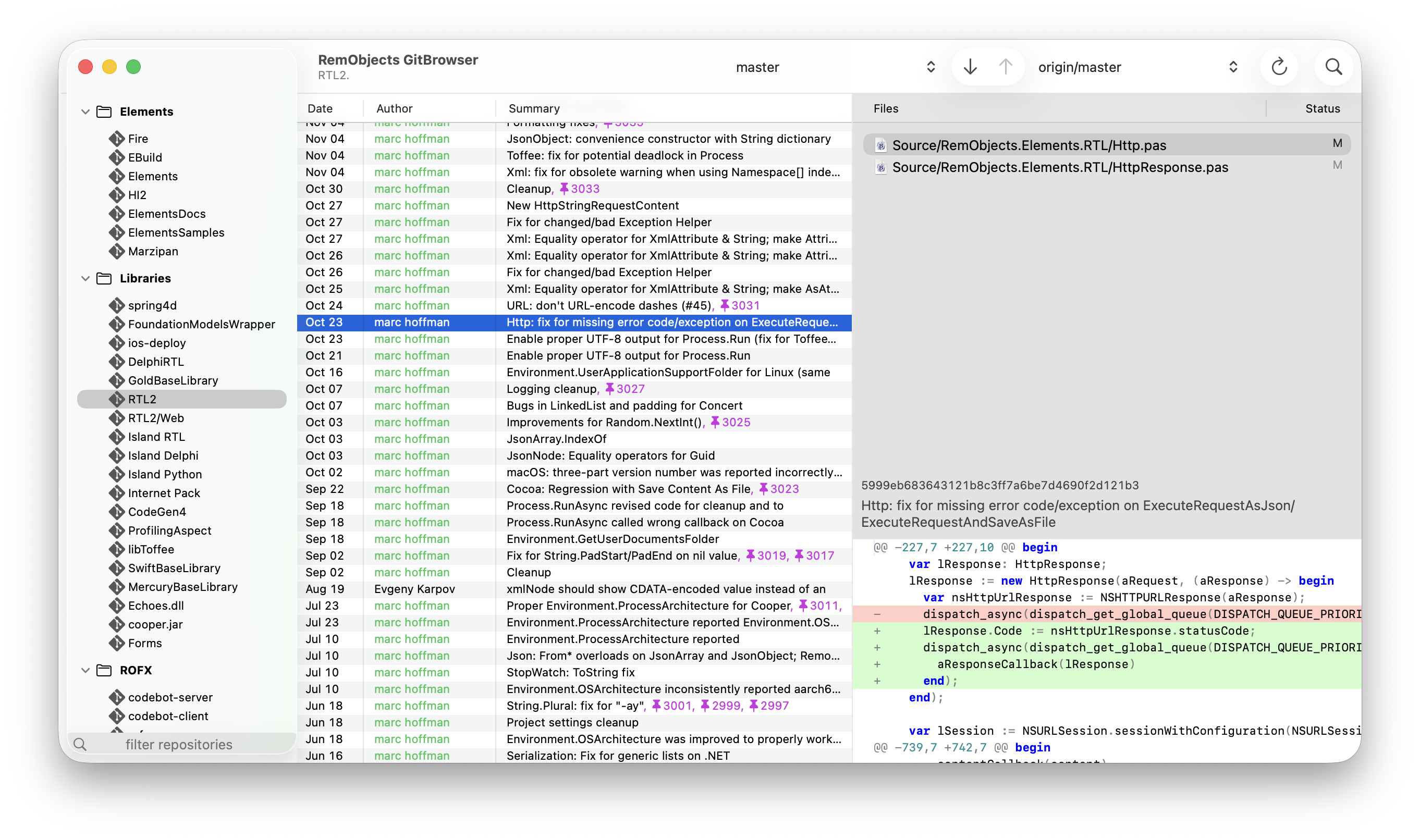
GitBrowser is a native Git frontend from RemObjects, designed for developers who work across multiple repositories and want a clear, quick way to understand what changed.
Its three-pane layout keeps your repository list, changelog, and commit details visible at the same time. Add favorite repositories to the sidebar, group them by category, client, or project, and switch between them without losing your place.
Many Repositories
Keep the repositories you care about in one sidebar, organized by project or client, with quick switching when your work crosses boundaries.
Readable History
Review commits, merges, tags, and search results in a focused changelog that makes it easy to follow the story of a repository.
Staging with Context
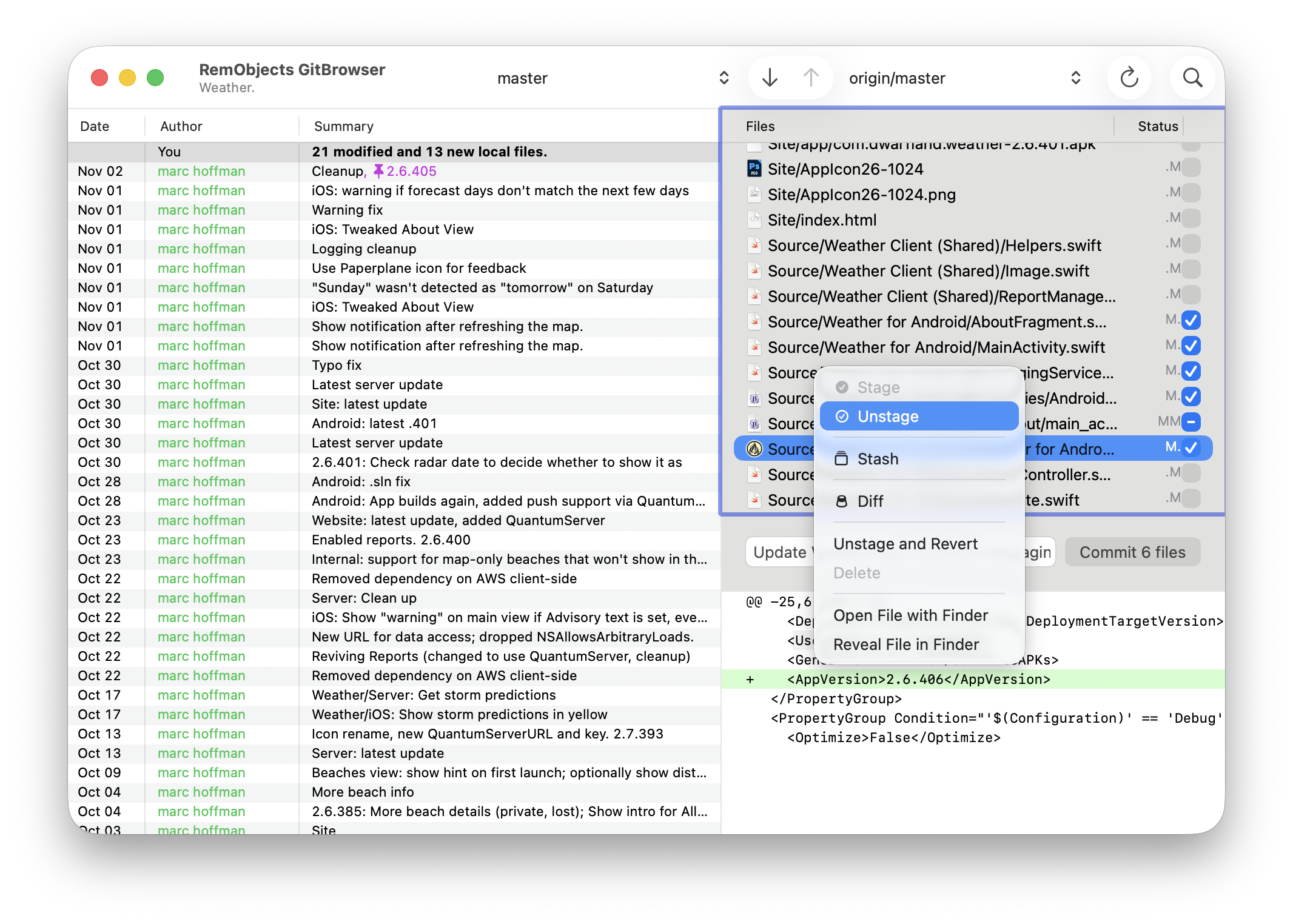
Inspect pending changes, review diffs, stage the right files, and let CodeBot help prepare a commit message that reflects the work.
CodeBot in GitBrowser
GitBrowser also brings RemObjects CodeBot into your source control workflow, with automated commit message suggestions, change set analysis, and more:
Commit Messages from Your Staged Files
Stage the files you want to commit, and CodeBot starts thinking. GitBrowser looks at the actual changes you selected and asks CodeBot to draft a clear commit message based on what changed, not just the file names.
The message appears directly in the commit field, ready for you to use as-is, edit, or replace. You stay in control of the final commit, while CodeBot takes care of the first pass.


Change Set Analysis
When a large batch of work has piled up, CodeBot can sort through it and identify the separate stories inside the changes. It can spot which edits belong to feature X, which belong to feature Y, and where unrelated fixes should be kept apart.
That analysis can still work when the same file participates in more than one feature. CodeBot reasons about the individual changes, so GitBrowser can help you turn one tangled working tree into a cleaner set of focused commits.
Explain Changes
Sometimes, you need some help understanding a new commit that just landed. Or a unch of local changes that your coding Agent has put there for you to commit.
In just about any relevant context, GitBrowser offers an "Explain this" button that will give you a detailed rundown of what the change contains, what it does and how it works – courtesy of CodeBot of course.


Resolve Merge Conflicts
We've all been there. You hit merge or pull expecting new goodies, and instead you get the dreaded "Merge Conflicts" error message.
Fear not! CodeBot is there to help you make sense of the conflicts and, in many cases, handle successfully resolving them for you – with your approval of course, in GitBrowser's new native Merge Conflict Sheet.